Comic Lettering, Localization & Production Workspace
Plan, prepare, letter, translate, review and publish comics in one integrated workflow — on a single machine, over LAN, or with a shared server.
Everything a lettering team needs
From multi-language bubbles to full vertical Japanese typesetting.
Multi-language lettering
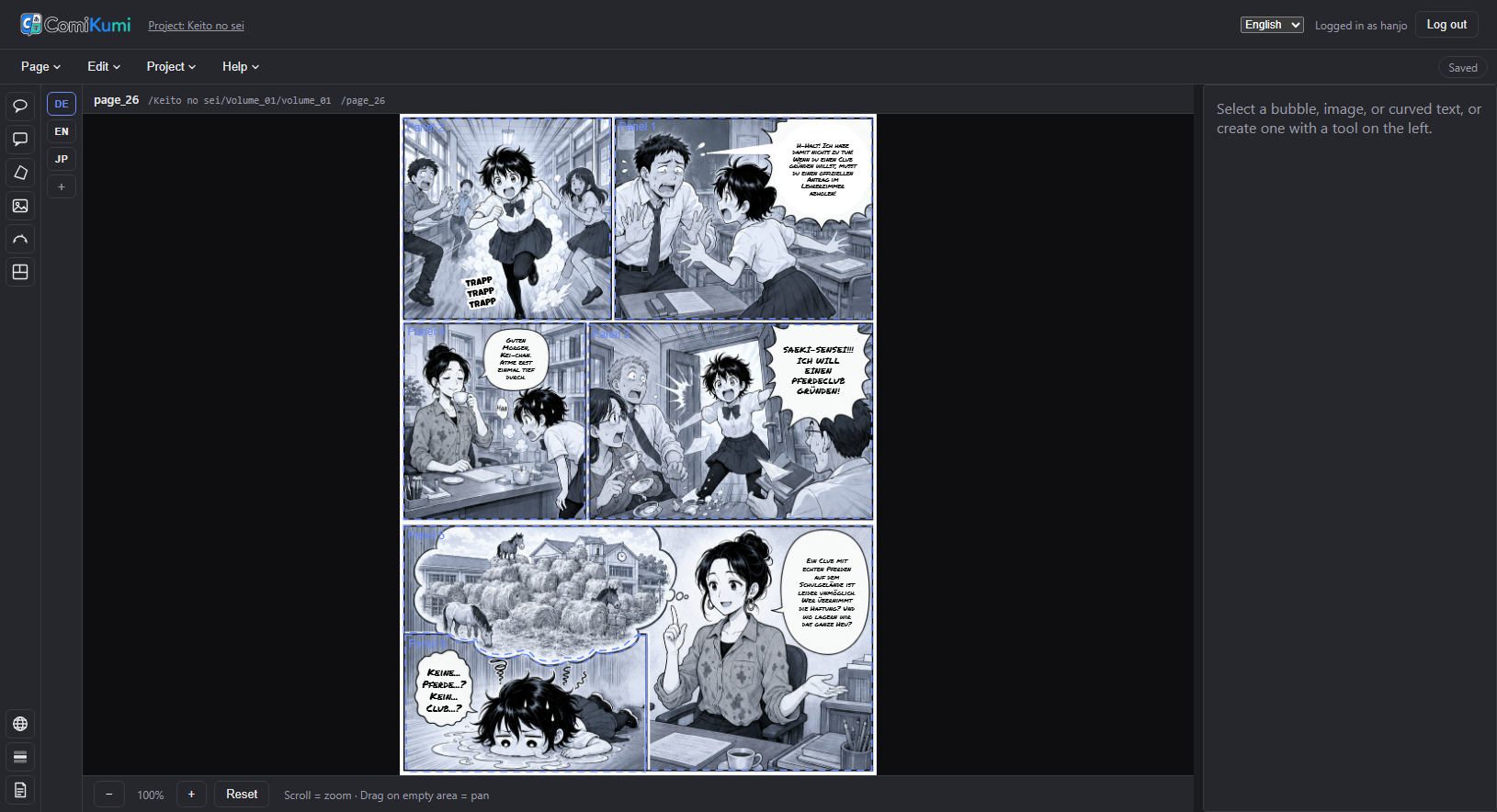
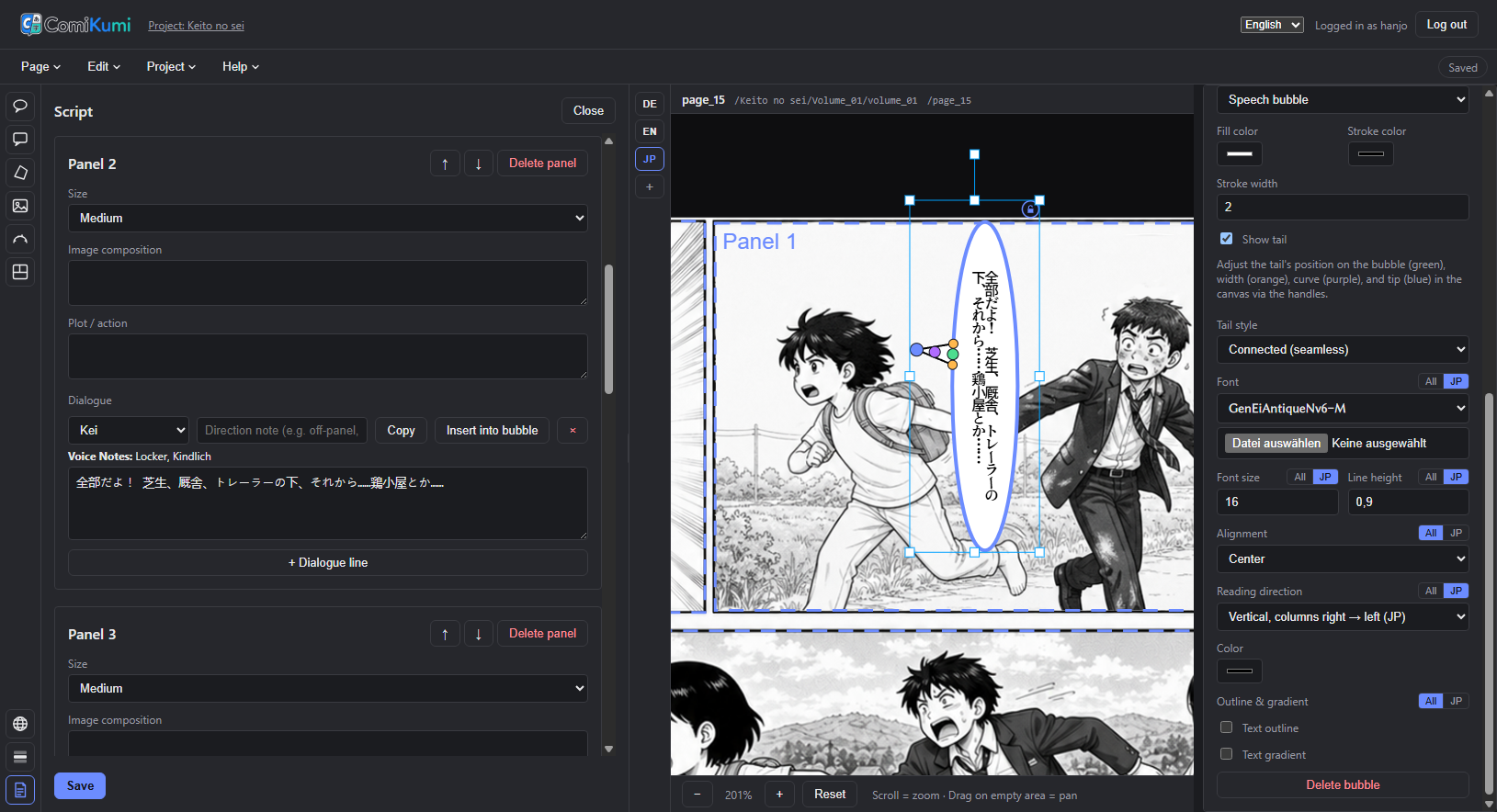
Every text and style field on a bubble can be overridden per language, or fall back to a shared base value. Add as many languages as your project needs.
Full vertical Japanese typesetting
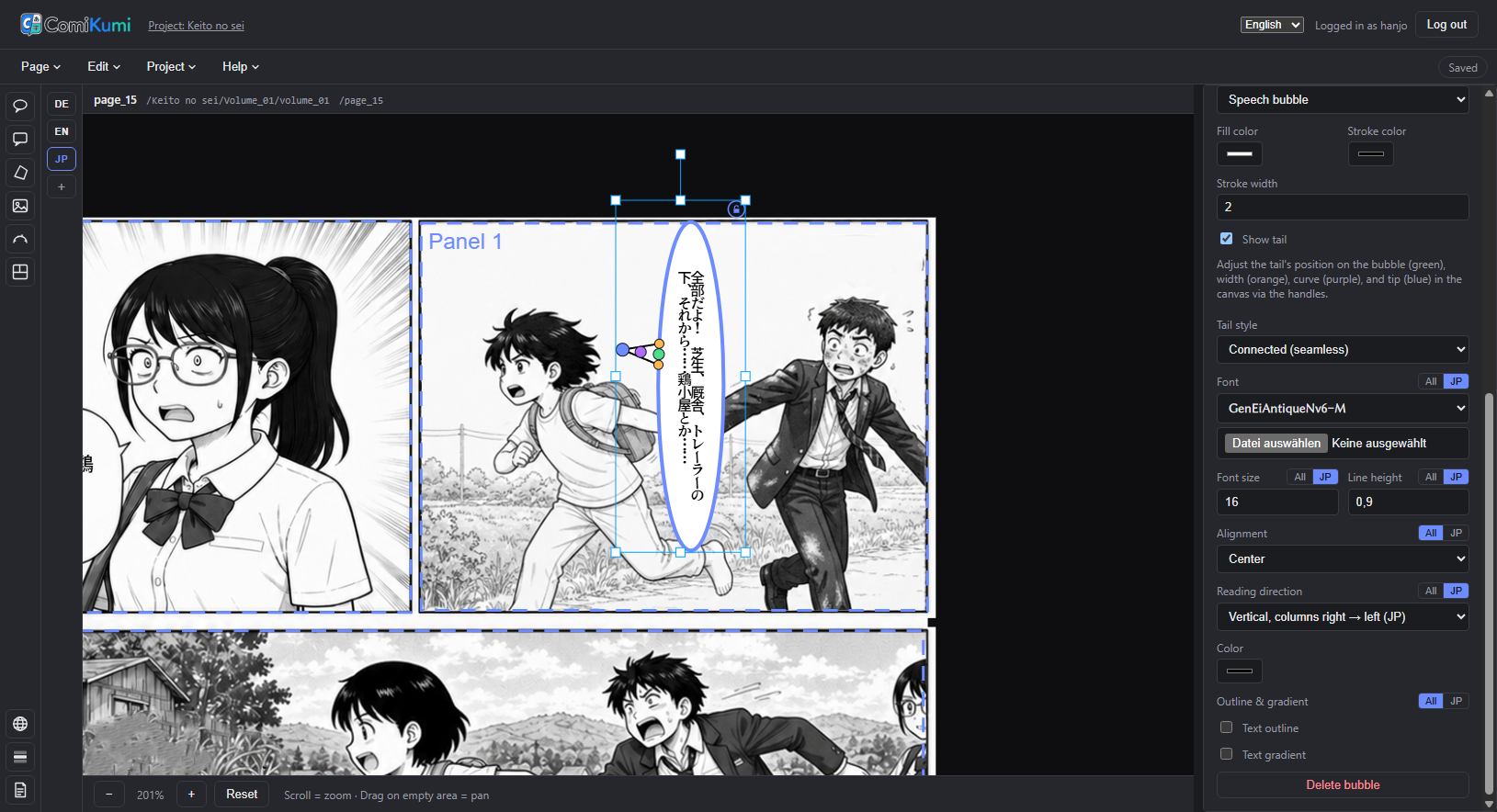
Tategaki with forced line breaks, group- and mono-ruby furigana, bōten emphasis dots, automatic tate-chū-yoko for digit/Latin runs, and kinsoku shori line-breaking rules.
Four element types
Speech bubbles (rectangle, oval, or free perspective quad), placed images, curved title/SFX text along a Bézier path, and panel-reference polygons.
Stacked text strokes
Back the main text outline with extra stroke layers, each its own color and width, for the classic SFX “black + white + colored” concentric border — rendered widest-first in the editor, PNG, and PSD export alike.
Text blur & motion blur
Blur the text — a uniform gaussian softness, or a directional motion smear along an adjustable angle — for out-of-focus background dialogue or speed/impact SFX. Per bubble or bundled into a preset, across the editor, PNG, and PSD export.
Procedural screentone fills
Dot, line, or crosshatch halftone patterns — with adjustable spacing, tone, and angle — as a bubble background fill or a text fill, including on curved/rotated SFX text where the pattern stays one continuous field instead of breaking at each glyph.
Hyphenation
An opt-in, per-language toggle breaks a word that doesn't fit at its syllable points instead of wrapping it whole — much better packing in narrow bubbles, especially for long German compounds. Bundled patterns for English, German, French, Spanish, and Italian.
Clip & merge bubbles
Cut a bubble along a straight line so it sits flush against a panel edge, or non-destructively merge several bubbles into one continuous outline for dialogue that flows across them.
Layers & panel locking
A navigator lists every bubble, image, and curved text grouped by panel, each with its own lock toggle — plus one-click "lock all panels" and "lock panel + its bubbles" so overlapping panels stop getting in the way of what's underneath.
Layer order
Bring any bubble, image, or curved text in front of or behind the others with one click — let an image patch sit in front of a bubble instead of always behind it. Respected in the editor, PNG export, and layered PSD export.
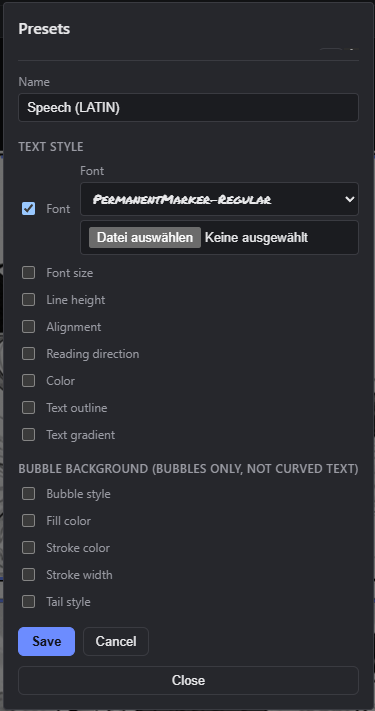
Lettering presets
Reusable styles that live-update every linked bubble or curved text, field by field, without overwriting values a preset doesn't define — or start from a built-in library (Manga SFX, Whisper, Shout).
Tags & bulk restyle
Classify bubbles and curved texts with your own semantic tags — dialogue, SFX, sign — independent of preset or character, then apply a preset to every element carrying a tag across the whole volume in one step, instead of hand-selecting page by page.
Context view & glossary
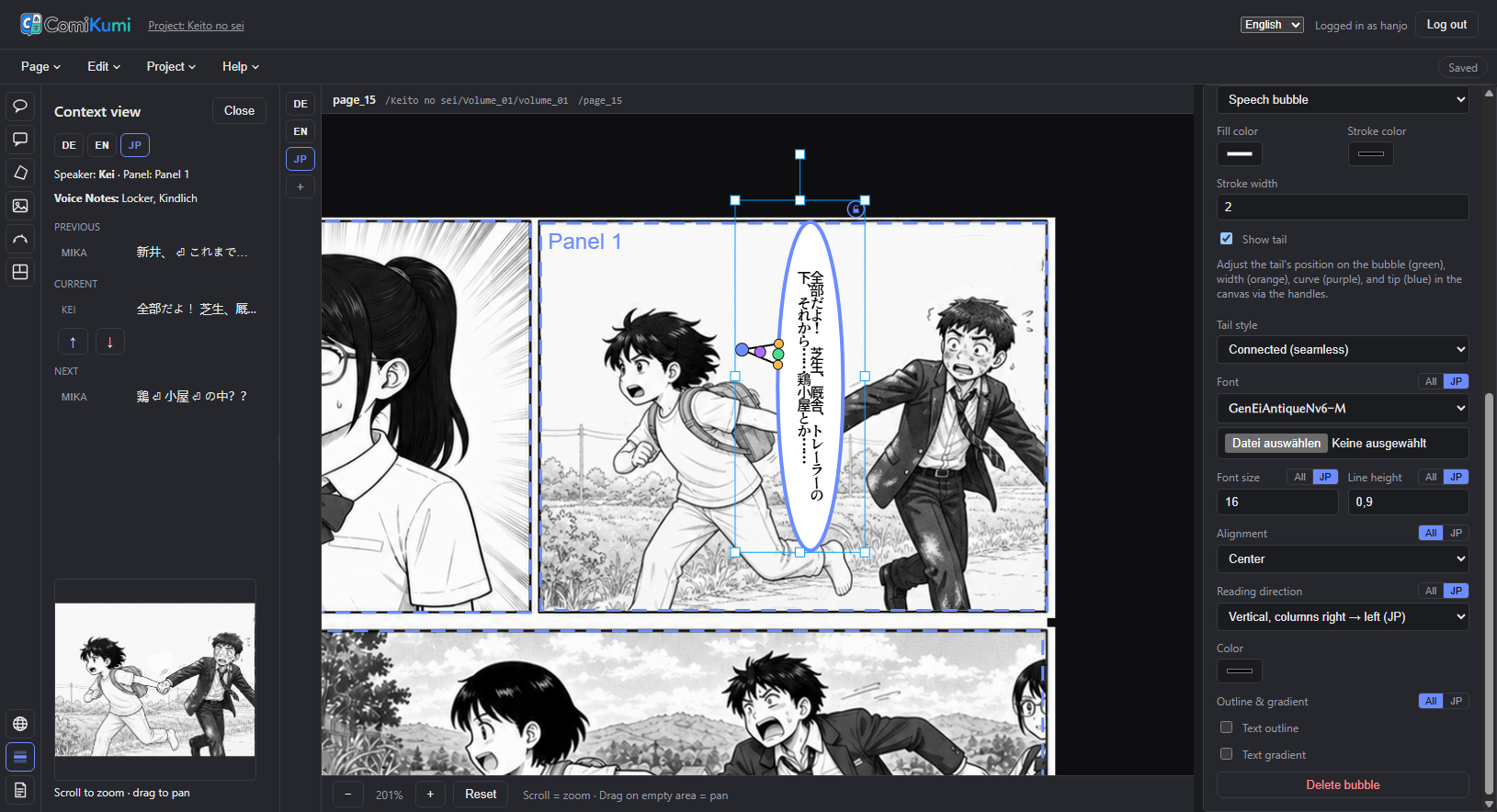
A reading-order-aware sidebar with speaker, voice notes, and panel crop, plus a project glossary with live highlighting and optional furigana readings.
AI assistant
Chat backed by your own API key or a ChatGPT sign-in, plus ten review-gated actions — translate missing bubbles, fix overflow, assign characters, suggest chapters, and more. Nothing touches your page until you click Apply.
Auto-Bubbles (detection + OCR)
Find every speech-bubble region on a page and read the text inside automatically, entirely client-side — no server round-trip, no data leaves the browser. Every result goes through a review panel before it becomes a real bubble.
Cleaning (Inpainting)
Remove the original printed text and reconstruct the artwork underneath, with rectangle, freehand, polygon, and brush tools to shape exactly which area gets cleaned. Shown as a before/after comparison — the original scan is never touched.
Script planning
A volume-wide script editor for plot, panel layout, and per-language dialogue — link it to a real page and insert dialogue with one click.
Project asset folders
Fonts, SVG bubble contours, and images live in a shared library, a per-project folder, or both — the project version wins on a filename collision.
Import Clip Studio Paint files
Add .clip project files directly as new pages — no manual flattening or export step in CSP first, and full resolution when possible.
PNG, print, vector & CBZ export
Export ready-to-publish PNGs, CMYK TIFFs for print, vector PDF/PSD with editable text, or CBZ with full ComicInfo.xml metadata — plus JSON import/export for a whole volume's layouts.
Review & QC comments
Pin, box, or freehand comments anywhere on a page, with @-mentions of specific accounts or roles — plus optional email notifications so feedback reaches the right person.
Workflow status board
Track Cleaning, Translation, Lettering, and QC status — plus an assignee — per page and per language, so the team sees where every page stands at a glance.
Read/Review viewer
A dedicated, distraction-free reading screen for QC passes: zoom-to-panel, reading-direction-aware page turning, double-page spreads, and side-by-side comparison of up to four pages.
Deploy anywhere
Run it solo on your machine, share it on your studio's network, or host it on a server reachable over the internet — role-based accounts keep it safe either way.
Webtoon (long-strip) support
Mark a volume as a webtoon and letter it at a usable zoom with a fit-width, scrollable canvas, read it back with a continuous strip mode that flows across episode boundaries, and export it safely with automatic guards against the size limits a very tall page can hit.
Asset Manager
Browse, upload, rename, delete, and folder-organize a project's fonts, images, and SVG bubble outlines from a dedicated screen instead of only the editor's inline pickers — plus a separate instance-scope manager for the shared library every project draws from.
Paste images from the clipboard
Copy an image in another app — e.g. "Copy image" on an AI-generated picture in ChatGPT's or Gemini's web UI — and press Ctrl+V/Cmd+V right on the page. It drops into the selected panel as a Cut-Panel replacement, or as a new placed image, no save-to-disk-then-upload detour.
A real editor, not a mockup
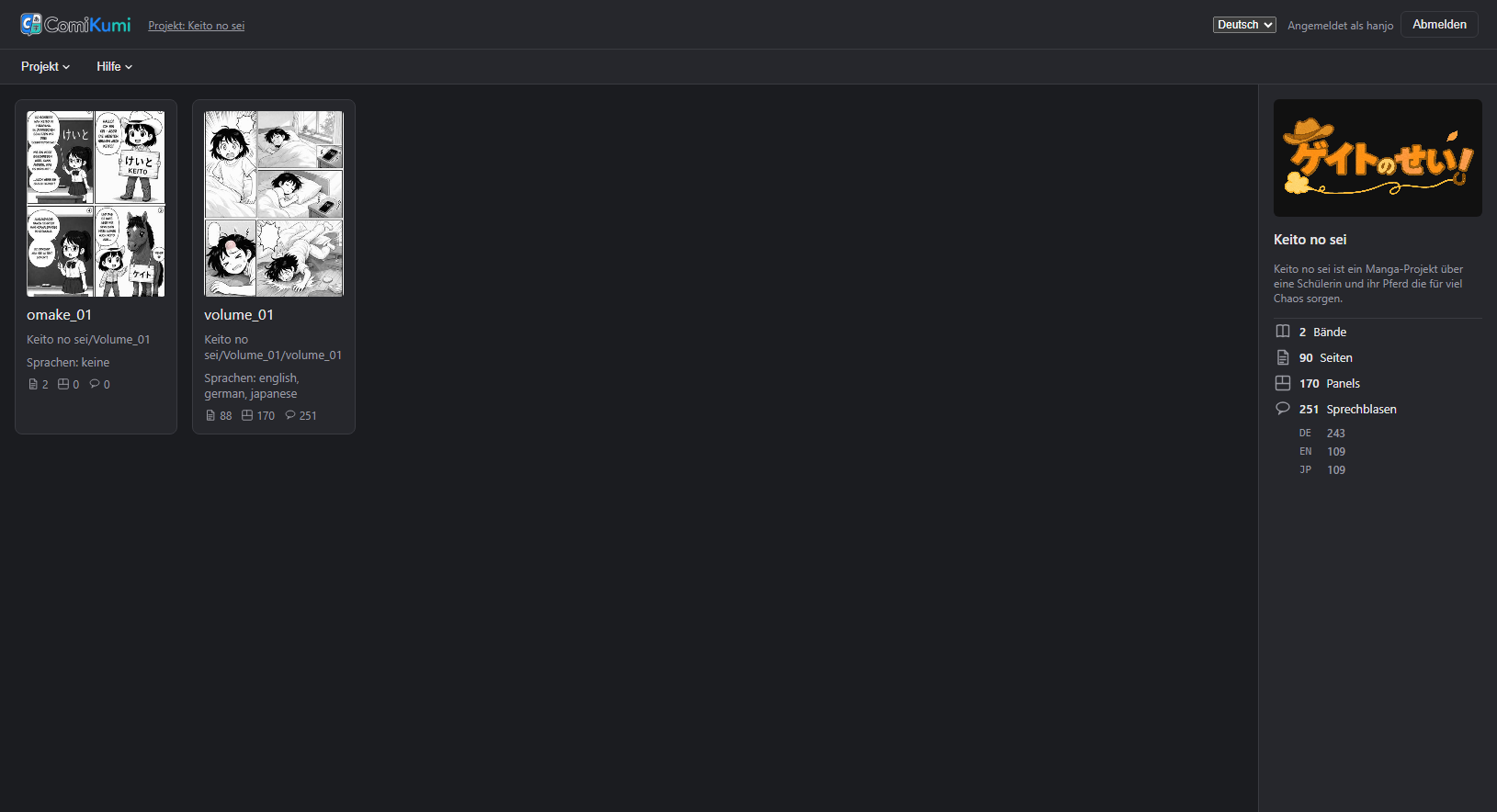
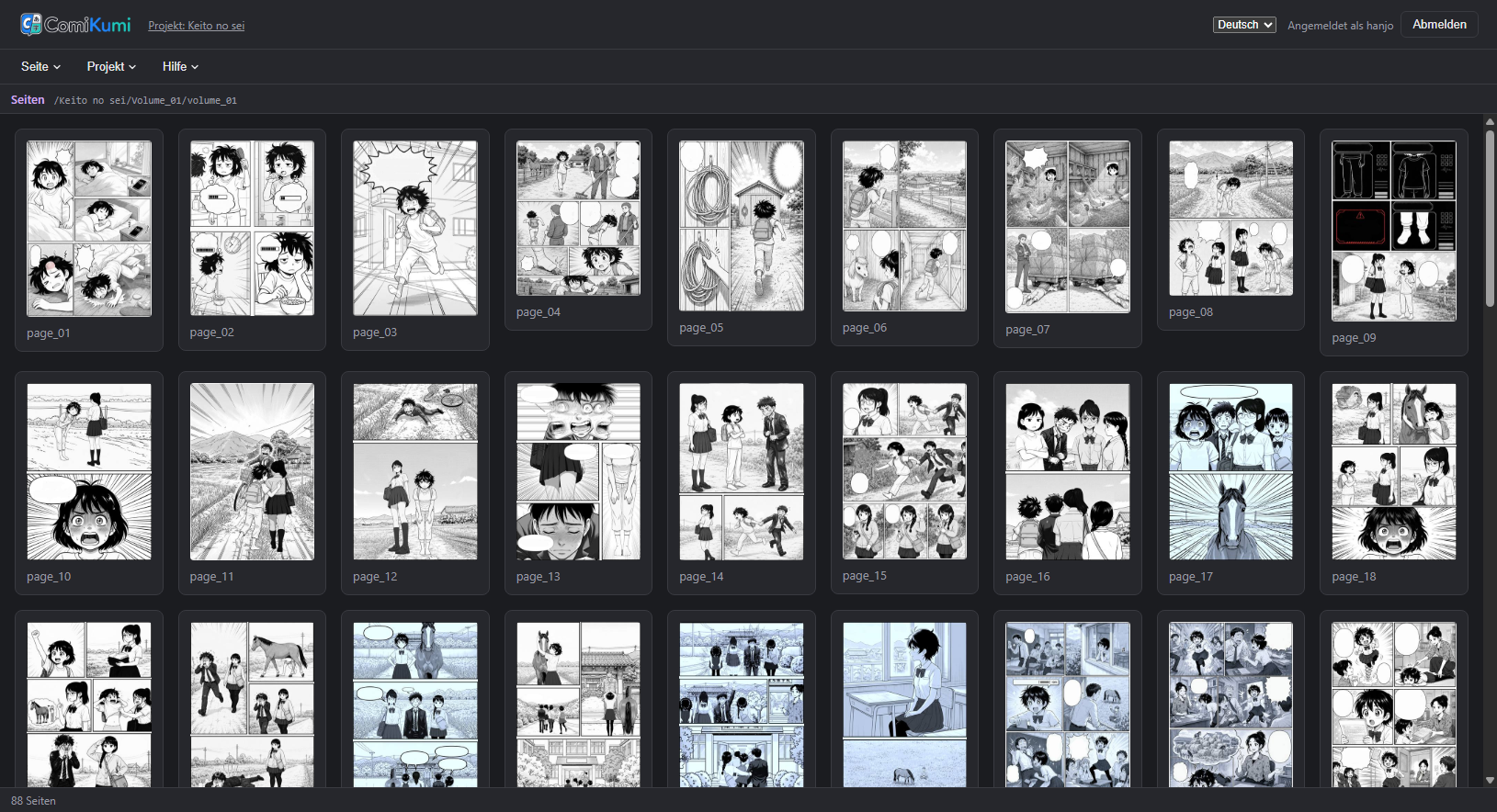
Every screenshot below is the actual app, running on a real project.
Your data stays under your control
-
✓
No forced cloud, no telemetry
A small Express server reads and writes files on disk — yours. Run it solo on your laptop, shared on your studio's network, or on a server reachable over the internet; nothing is ever sent to a third party.
-
✓
One file per project
A project is a single JSON file — languages, characters, glossary, presets, and settings — next to your existing folder of scanned pages.
-
✓
Role-based access
Viewer, translator, letterer, and admin roles per project, so a team can safely share one server — on a local network or over the internet.
-
✓
Free and open source
AGPL-3.0-licensed. Use it, study it, modify it, self-host it for your team.
Built for multilingual teams
The interface itself speaks seven languages — independent from however many content languages your project translates into.
Ready to letter your next volume?
Clone it, run it, and create your own admin account — no third-party signup, no SaaS subscription.